A clear view of what’s up. A heads-up when it isn’t.APP PREVIEW
Website availabilityDomain expirySSL certificates
Three things to watch. One app.
A small app. A useful safety net.
You have better things to do than refresh your website.
Uptime keeps an eye on the essentials, whether you run one website or look after sites for your clients.
01 / Availability
your-site.exampleOnline
Past 24 hoursIllustration
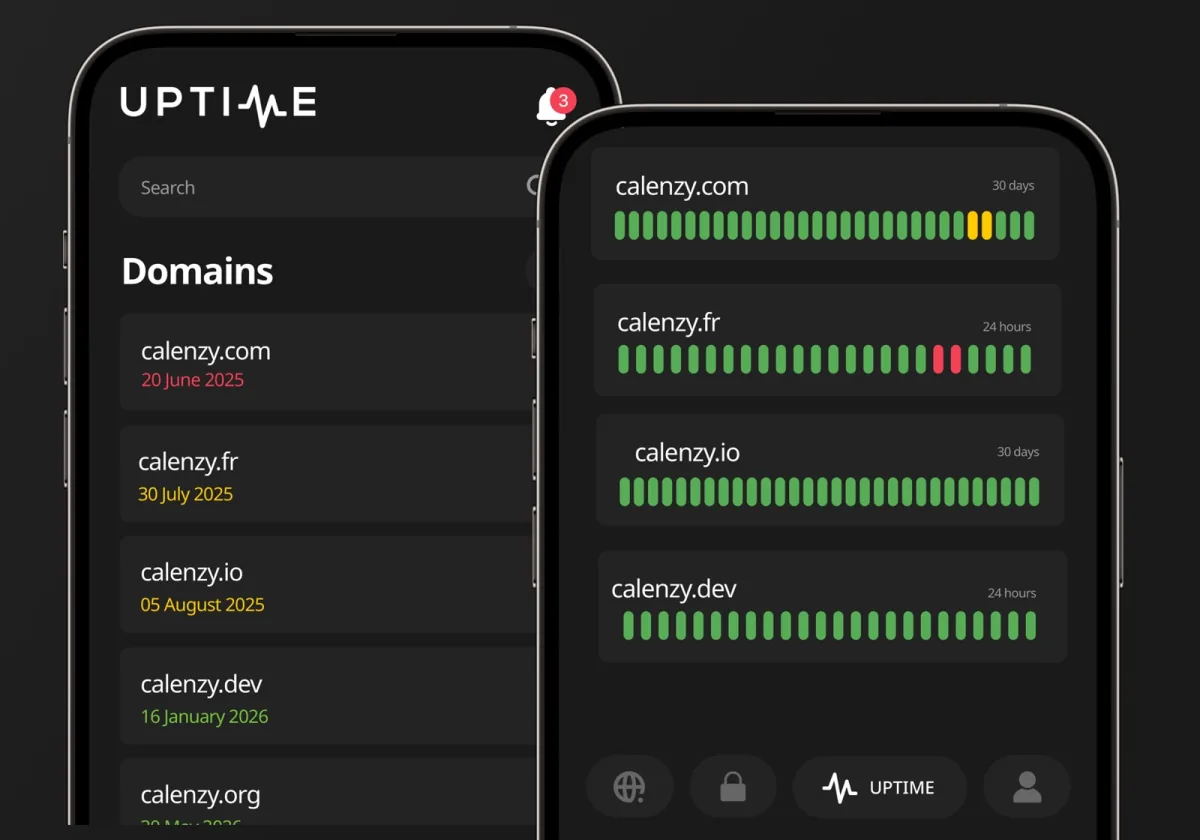
Know when your site stops answering.
Check website availability and see downtime history at a glance. Get a push alert when an outage is confirmed, and another when your site is back online.
Checks up to every minute with Uptime+
02 / Domains
your-site.example
Time to renew30 days left
Domain expiry reminderIllustration
Keep your domain. Skip the surprise.
See registration details, your registrar and the expiry date in one place. Get a reminder before renewal is due, even if someone else manages the domain.
Daily automatic updates with Uptime+
03 / SSL certificates
shop.your-site.example
SSL certificateExpiry tracked
Including subdomainsIllustration
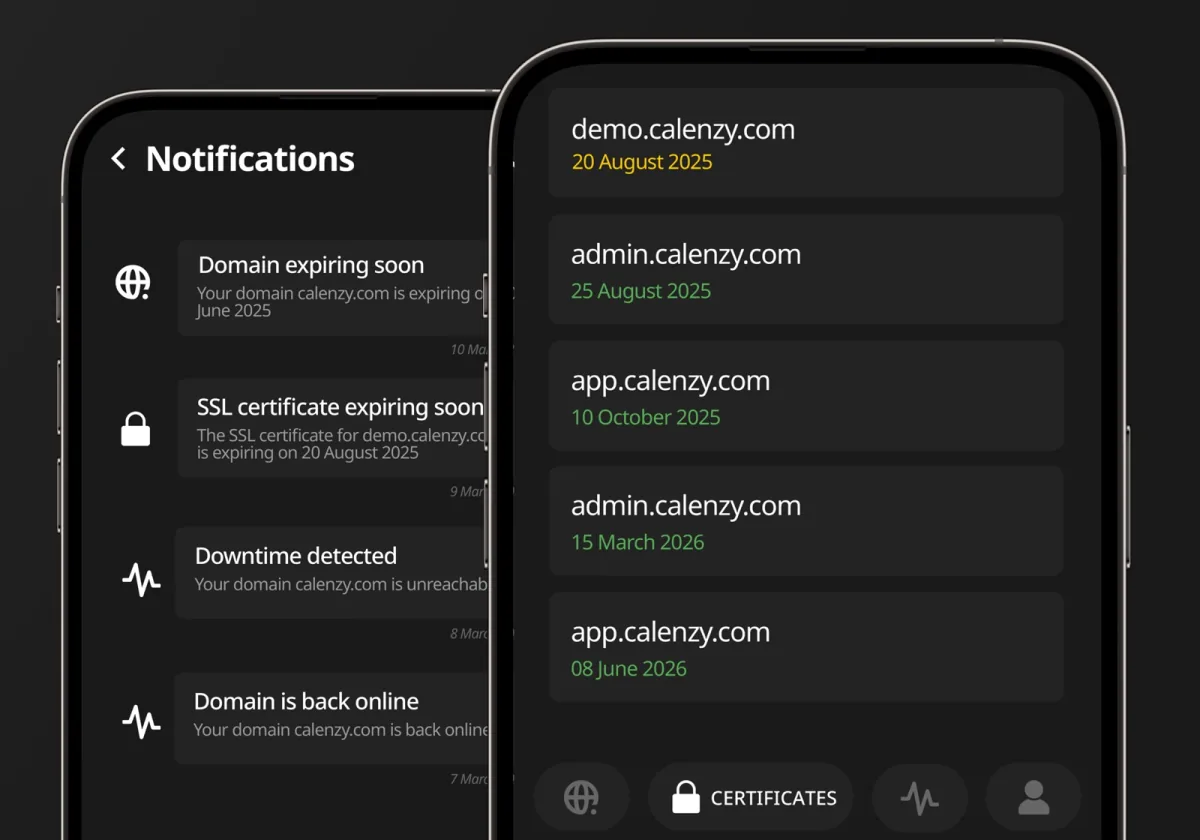
A little warning. Before a browser warning.
Track SSL/TLS certificate expiry dates, issuers and issue dates. Renewal reminders help you act before an expired certificate interrupts a visit.
Automatic certificate discovery with Uptime+
Domain, certificate and downtime alerts, together in Uptime.
In your pocket. On your side.
Less checking. More knowing.
You don’t have to be at your desk to know something needs attention. Uptime brings website outages and upcoming expiries to the same place: your phone.
Alerts that tell you what changedOutage, recovery or renewal coming up. Open the app for the details.
Works beyond CalenzyKeep your existing host and registrar. Uptime can watch websites hosted elsewhere.
Your websites, in one placeKeep an overview of your own sites and the ones you look after for clients.
From download to peace of mind
A few details. Then we keep watch.
01
Get the app
Download Uptime on your iPhone, iPad or Android device and sign in or create an account.
02
Add what matters
Add a website, domain or certificate. Choose the monitoring settings available on your plan.
03
Let the alerts come to you
Enable notifications. Check status and history whenever you need the details.
Free to start. More with Uptime+.
A little more watchful.
Start with the essentials. Upgrade in the app for more frequent checks, automatic updates and no ads.
Monthly and annual subscriptions. See current pricing and monitor limits in the app. Alert timing depends on check frequency, outage confirmation and your notification settings.
No. Uptime can monitor websites hosted elsewhere. You can keep your current hosting provider and domain registrar.
How often does Uptime check my website?
The free plan checks every 60 minutes. Uptime+ offers checks every 1 or 5 minutes. An outage is confirmed before an alert is sent, so a one-minute check interval does not mean a guaranteed alert within one minute.
Does Uptime renew domains or certificates for me?
No. Uptime tracks expiry dates and sends reminders. You or your provider still need to renew the domain or certificate. Automatic updates in Uptime+ refresh the information in the app; they do not perform renewals.
Can Uptime find every domain’s expiry date?
Some domain registries do not publish expiry dates. Uptime cannot provide expiry monitoring for a date the registry does not make available.
Do I need an account, and is the app free?
Yes, Uptime uses an account to manage your monitors and alerts. The free plan is supported by ads. You can upgrade to Uptime+ in the app to remove them.
Uptime by Calenzy
Your next website check? Leave it to Uptime.
Website availability, domains and SSL certificates. One less thing to keep in your head.
Free to start. Upgrade whenever you need.
Small team. Useful apps.
Made by the team behind Calenzy, Currenzy and Smoky.



 Calenzy
 Currenzy
 Smoky
Smoky